


Designing parts for efficiency, strength, and ease of manufacture
Coring and draft angles are two of the most important considerations in injection moulding design. Together, they influence cycle times, tooling costs, part strength, and the ease with which a part can be moulded and ejected. Getting them right at the design stage is essential for achieving reliable, cost-effective production.
At CJ Tool & Mouldings, we help design engineers and product developers refine their designs with practical guidance on coring and drafts. With our in-house tooling expertise and mould flow analysis, we ensure parts are optimised for performance as well as manufacturability.
Coring – Reducing Mass and Improving Efficiency
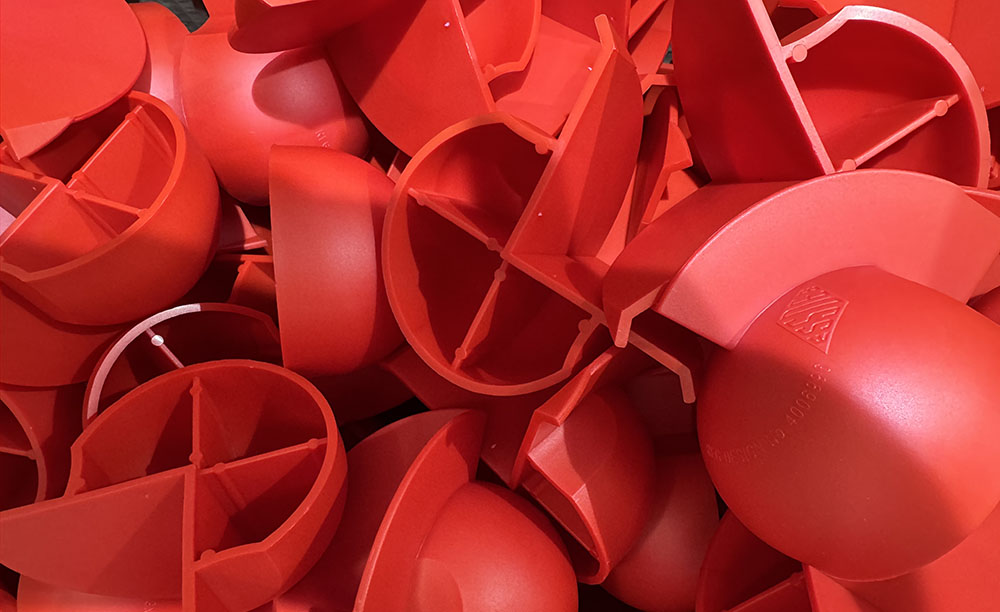
Coring involves removing excess material from a part’s design, creating hollow sections instead of solid blocks. This reduces weight, lowers material costs, and improves cooling times, all without compromising strength when designed correctly.
Benefits of coring:
- Lower cycle times: Hollowed-out sections cool faster, improving production efficiency.
- Reduced sink marks: Coring eliminates overly thick areas that could cause surface defects.
- Cost savings: Less material used per part means reduced production costs.
- Improved performance: Hollowed areas can make a part lighter without sacrificing structural integrity.
Design considerations:
- Maintain uniform wall thickness around cored areas to prevent warping.
- Use ribs or gussets to reinforce cored-out regions.
- Avoid sharp transitions, blend cored sections smoothly to ensure even material flow.
Draft Angles – Ensuring Clean Ejection
Draft angles are slight tapers added to vertical walls of a moulded part. Without draft, parts would stick in the mould, making ejection difficult and risking damage to both the tool and the part.
Benefits of adding draft:
- Easier ejection: Reduces stress on the tool and the part during removal.
- Improved surface finish: Helps avoid drag marks or scratches.
- Extended tool life: Less force needed for ejection means less wear on tooling.
Design considerations:
- Apply a draft angle of 1–3° on most vertical surfaces.
- Highly polished surfaces may require more draft to ensure clean release.
- Deep cores or textured surfaces often need additional draft to account for increased friction.
- Apply draft consistently across similar features to simplify tooling design.
Balancing Function and Manufacturability
Coring and draft angles are often overlooked during early design stages, but they are critical to ensuring that injection moulded parts are efficient to produce and perform reliably in use. A part with no coring may be unnecessarily heavy and expensive, while a part with insufficient draft may stick in the mould and slow production.
At CJ Tool & Mouldings, we collaborate with design engineers early in the process to identify where coring can improve efficiency and where draft angles can prevent production issues. This proactive approach helps reduce tooling costs, shorten lead times, and improve the overall quality of the finished part.
From concept to component, our goal is to ensure every design is production-ready.
If you’d like guidance on optimising your part design with coring and draft angles, speak to the team at CJ Tool & Mouldings today.